BUSINESS OPERATIONS, CONNECTED
Keep the business
moving.
Every order has a next step. Give purchasing, operations and finance the same view of what happens next.
Work through an order ERP implementation · Available by consultationAn order, all the way through.
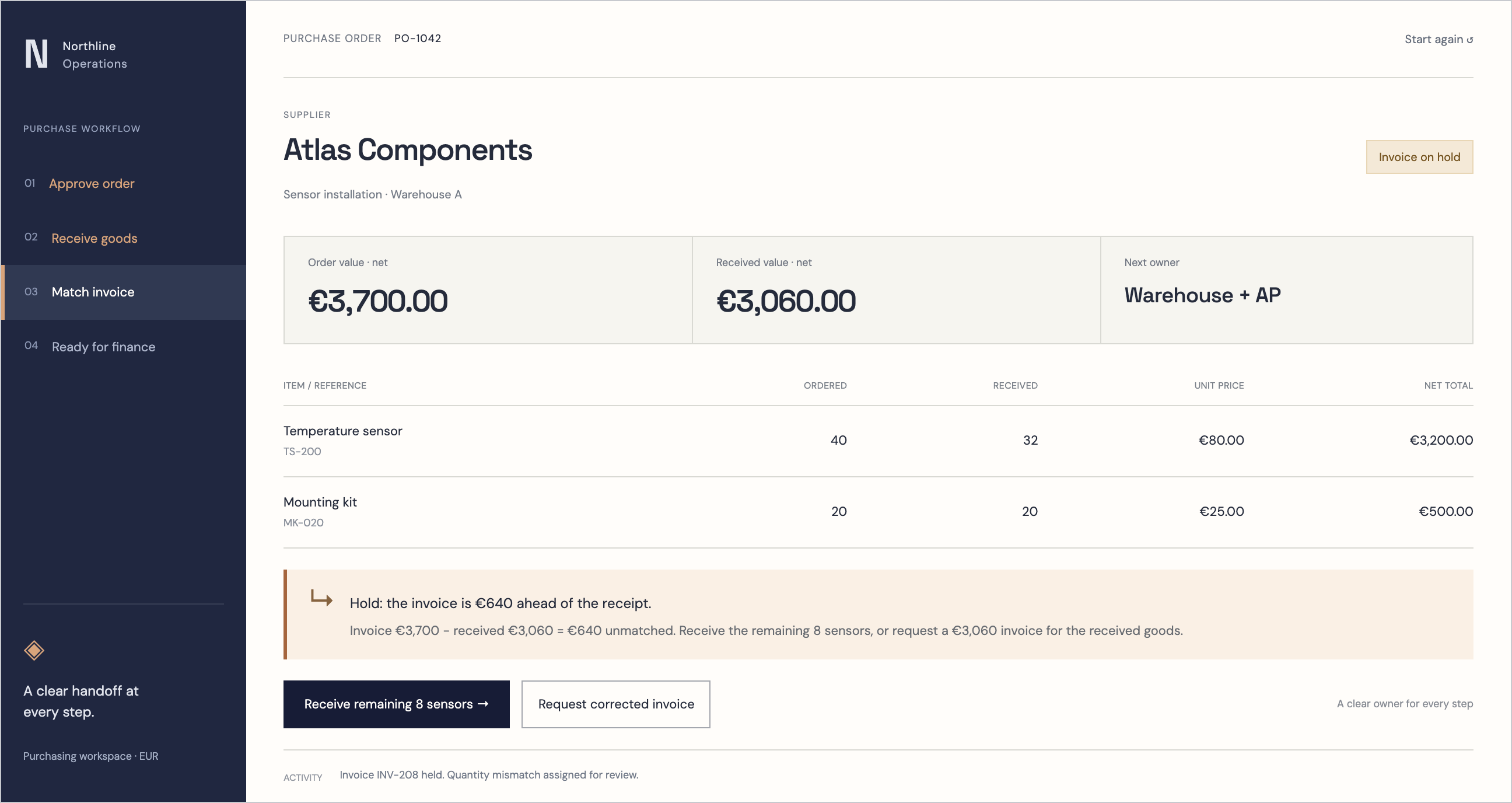
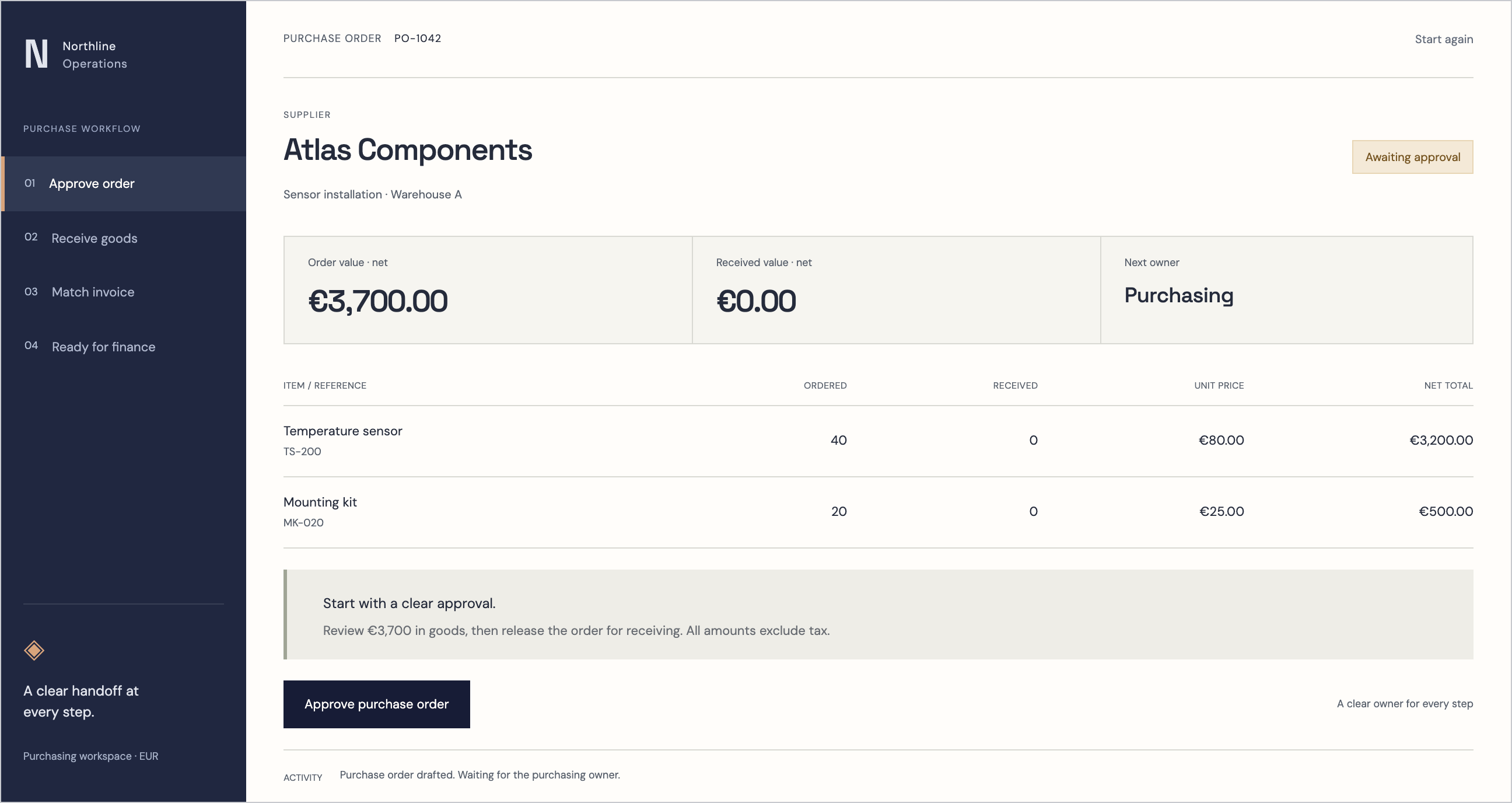
PURCHASE RECEIPT INVOICESUPPLIER
Atlas Components
Sensor installation · Warehouse A| Item / reference | Ordered | Received | Unit price | Net total |
|---|---|---|---|---|
| Temperature sensorTS-200 | 40 | 0 | €80.00 | €3,200.00 |
| Mounting kitMK-020 | 20 | 0 | €25.00 | €500.00 |
Review €3,700 in goods, then release the order for receiving. All amounts exclude tax.
Purchase order drafted. Waiting for the purchasing owner.
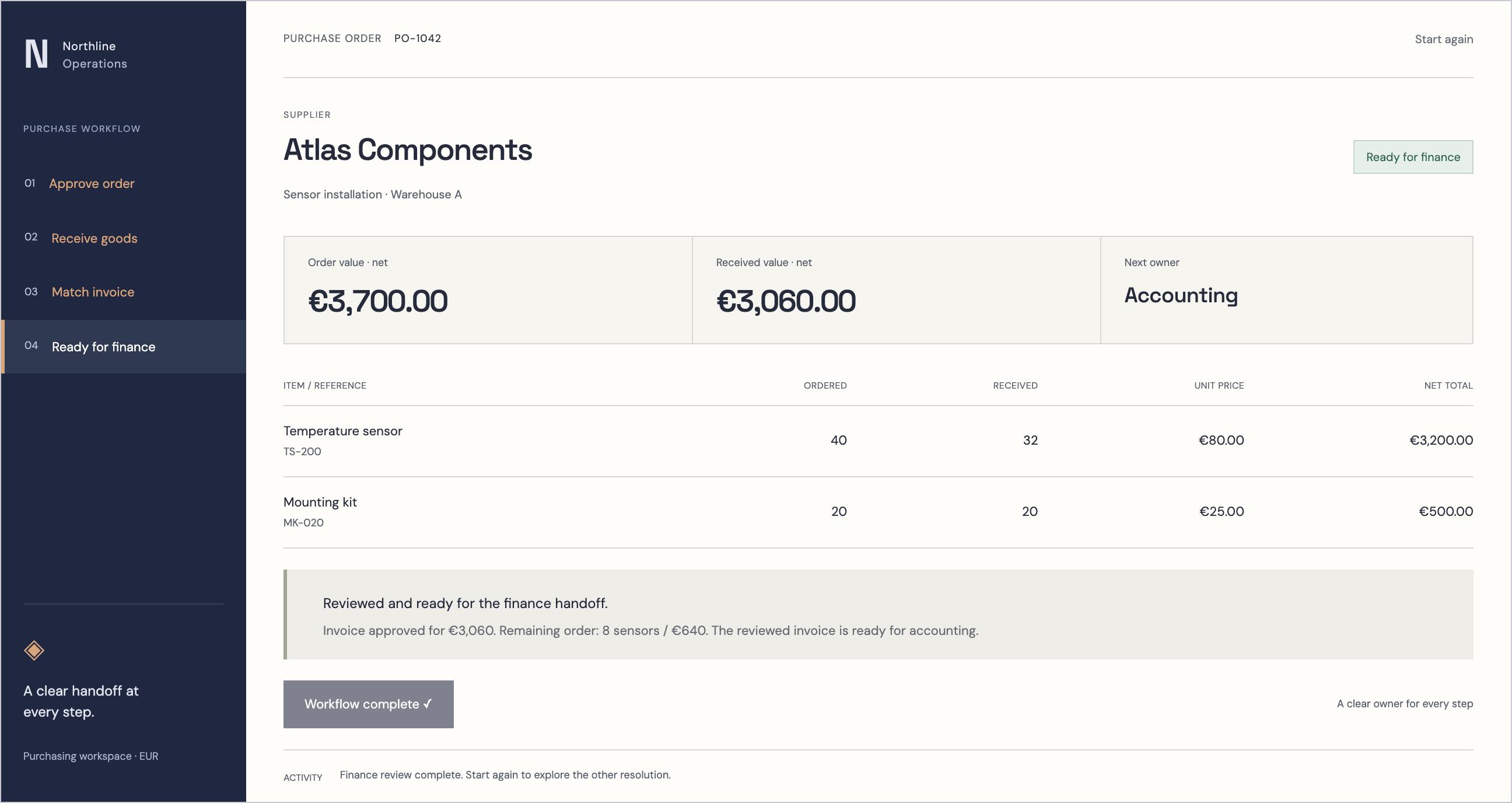
Follow the order: approve the purchase, receive a partial delivery and resolve the invoice mismatch before the finance handoff.
01 / THE WHOLE PICTURE
One thread.
Across your business.
The value is in the handoffs. Define where each record starts, who can change it, and what the next team needs.
A promise to the customer.
Carry the customer, agreed scope and order context forward.
A plan for the business.
Coordinate purchase approvals, delivery progress and exceptions.
What actually arrived.
Connect receipts and availability to the agreed stock authority.
A record finance can trust.
Hand over reviewed documents with their order and receipt references.
02 / AUTOMATION WITH OWNERSHIP
Routine work flows.
Exceptions get attention.
A missing receipt should reach the warehouse owner. A price difference should reach purchasing. A payment decision should stay with the authorised person.
We can scope workflow automation using ERP rules, n8n or UiPath where appropriate: document intake, approvals, reminders and reviewed system updates. Tool selection follows your systems and licensing.
03 / BUILT AROUND YOUR OPERATION
Start with the process.
Then build the system.
For companies worldwide. European engineering. A delivery scope agreed around your teams, data and existing systems.
Discuss your workflow- 01
Map the operation
Choose the first workflow. Name the owners, approval limits and exception paths.
- 02
Prove the handoffs
Validate data imports and integrations. Agree stock ownership and review financial outputs.
- 03
Prepare the team
Test real scenarios, train process owners and agree acceptance, support and hosting before rollout.
Before we begin.
Can we sign up and use it today?
Start with a consultation. We agree your workflows, users, data migration, integrations and acceptance criteria before implementation. Access and rollout are arranged as part of that engagement.
Do we need to replace every existing tool?
We start with your current process and identify the useful connections. CRM, inventory and accounting integrations are scoped and validated individually; they are not assumed to work out of the box.
Where will our data be hosted?
Hosting region, data access, backup, retention and operational responsibilities are agreed during scoping. We work with companies worldwide; country-specific accounting and regulatory needs require separate validation.
A closer look
Explore the ERP interface
YOUR NEXT OPERATIONAL CHAPTER